
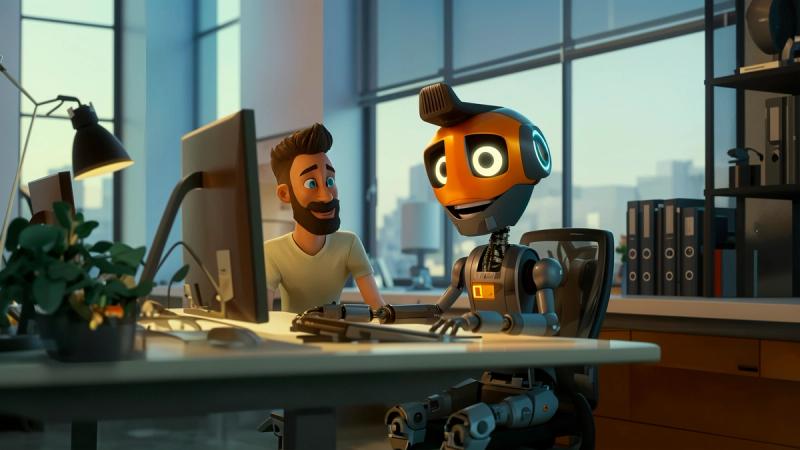
If you’re an animator wondering how artificial intelligence is changing your craft (and how to not get left behind), you’re in the right place. Think of this as your friendly roadmap—from the hand-drawn past to the AI-accelerated present, and into a future where your taste, judgment, and storytelling matter more than ever.
Why This Matters (and Why You’ll Love What’s Coming)
AI isn’t here to replace animators; it’s here to remove the grind so you can spend more time on vision, style, and story. The winners will be those who learn to direct machines the way great filmmakers direct cameras and actors.
Animation Before AI: Craft, Control, and Constraints
The Pipeline We Knew
- Preproduction: script, storyboards, animatics, visual development.
- Production: layout, blocking, key posing, in-betweens, lighting, effects, rendering, compositing.
- Post: editing, sound, polish.
Strengths of the Pre-AI Era
- Strong fundamentals: timing, spacing, arcs, squash & stretch, appeal.
- Team artistry: modelers, riggers, lighters, compositors—each a craftsperson.
- Predictable pipelines: software stacks were stable; skills transferred across studios.
Pain Points We All Felt
- Time & cost: in-betweens, roto, cleanup, crowd shots, and render queues ate weeks.
- Iteration friction: big changes late in production were expensive.
- Access barrier: solo creators struggled to match studio-scale polish.
Animation After AI: From “Make” to “Direct”
AI doesn’t delete the pipeline; it compresses and loops it. You’ll prototype faster, iterate earlier, and outsource tedium to algorithms—but your taste becomes the product.
What’s Changing Right Now
- Concept to animatic in hours: text-to-board and image-to-board tools draft shots from scripts; you refine beats and camera language.
- Style transfer & look development: turn grey boxes into near-final looks early; art direction becomes “live.”
- Motion assistance: AI helps with in-betweens, cleanup, mocap retargeting, and secondary motion, speeding up polish.
- Smart rigs & auto-weighting: rig creation, skinning, and corrective shapes assisted or auto-suggested.
- Procedural crowds & FX: AI + simulation makes believable complexity cheap.
- Voice & sound: temporary VO, sound design sketches, and timing beats generated on the fly to test story rhythm.
What Is Not Changing
- Fundamentals still rule: staging, silhouette, rhythm, acting choices, appeal.
- Taste is irreplaceable: AI can propose; you compose.
- Collaboration matters: art direction, production design, editorial judgment—still human-led.
How to Update Yourself (Without Burning Out)
You don’t need every tool. You need the right habits. Here’s a focused, practical plan.
The 30-60-90 Day Skill Sprint
Days 1–30: Bedrock + One Assistive Tool
- Revisit fundamentals: timing charts, spacing exercises, 12 principles. Animate 2–3 short shots (2–4 seconds each).
- Pick one assistant, not a dozen: e.g., an AI in-between/cleanup helper or storyboard assist. Use it to speed one task you already do well.
- Deliverable: a micro-reel (15–30 seconds) showing before/after AI assistance, with captions describing the workflow.
Days 31–60: Pipeline Prototyping
- Build a “tiny studio” pipeline: script → boards → rough layout → blocking → lighting pass → edit.
- Add one more AI helper: look-dev/style assist or mocap-to-animation retargeter.
- Deliverable: a 30–60 second animatic/previz short with two visual iterations. Document time saved and lessons learned.
Days 61–90: Style, Voice, and Automation
- Develop a signature: pick a visual motif (line boil, textured shadows, painterly lighting). Use AI to test variations fast; lock the look you love.
- Automate the boring bits: batch labeling, version naming, shot exports, or render queue setup with simple scripts or no-code automation.
- Deliverable: a 60–90 second short with a process breakdown (shots, toolchain, time per stage). This portfolio piece proves you can direct AI, not just press buttons.
Your Weekly Rhythm (Forever Habit)
- 1 hour “skill gym”: practice acting beats, weight shifts, or camera moves—no tools, just skill.
- 1 hour “tool lab”: test one small feature or workflow; write a 5-line summary of what it’s good/bad for.
- 1 hour “taste hunt”: collect 5 frames you love, annotate why (composition, color, line of action). This trains your eye—the real moat.
The Modern Animator’s Skill Stack
Core (Non-negotiable)
- Story & beats: objectives, reversals, tension, payoff.
- Animation principles: timing, spacing, arcs, anticipation, overlap.
- Cinematography: lenses, blocking, depth cues, silhouette readability.
- Editing sense: pacing, contrast, breath, and surprise.
AI-Age Enhancers (Pick 2–3 First)
- Promptcraft & reference building: turn loose ideas into clear shot briefs and mood boards.
- Style direction: consistent character sheets, palette control, and shape language across shots.
- Mocap & cleanup: capture, retarget, and refine with keyframes.
- Rigging accelerators: auto-weights, corrective blendshapes, pose libraries.
- Procedural thinking: nodes, rules, and tools that let you scale complexity.
- Light & comp literacy: relight, AOVs, denoising, and match moves with confidence.
Portfolio in the AI Era: What Studios Want to See
- Clarity of decision-making: side-by-side clips (before/after tool assist) with notes on what you chose.
- Consistency across shots: same character reads as the same character—poses, proportions, appeal stay intact.
- Iterative range: show three versions of the same shot: “fast previz,” “performance pass,” “final polish.”
- Ethical and legal awareness: original designs, licensed assets, or clearly documented provenance.
- Process literacy: a one-page workflow diagram with timings per stage (that’s production gold).
Ethics, Attribution, and Professionalism (Short but Important)
- Use clean sources: paid or permissive assets, your own designs, or datasets with explicit rights.
- Credit contributors and tools: transparency builds trust with clients and studios.
- Respect likeness and style: avoid training or prompting on living artists’ distinctive styles without permission.
- Keep originals: save base meshes, rigs, and boards to show the human work underneath.
Practical Workflows You Can Try This Week
1) Script-to-Animatic Express
- Write a 1-minute script → generate rough boards → cut a timed animatic with scratch VO and temp music → export.
- Goal: find story problems before you animate a single shot.
2) Mocap-to-Performance Polish
- Record body mocap (phone or suit) → retarget to your rig → fix feet, hips, and arcs → add facial keys and fingers.
- Goal: get natural timing fast, then layer character choices.
3) Style-Lock Look Dev
- Generate 20 quick paintovers of a key frame → choose 3 → rebuild those looks with real lights/materials so they’re reproducible.
- Goal: consistency, not just pretty stills.
4) Cleanup & In-between Assist
- Rough pass by hand → AI in-between/cleanup → final keys and accents by you.
- Goal: preserve your line energy while cutting drudge work.
Common Pitfalls (and How to Avoid Them)
- Over-reliance on prompts: prompts are briefs, not blueprints. Sketch first, prompt second.
- Style drift across shots: lock character sheets, line weights, and palettes; use references aggressively.
- “Looks good” but animates poorly: prioritize motion readability and silhouette over texture novelty.
- Messy legal trail: keep a simple provenance log (assets, licenses, tool versions).
The Future of Animation: What’s Likely Next
1) Real-Time, Director-First Pipelines
Expect more live look-dev: lighting, materials, and camera language adjusted during dailies with instant feedback. Directors will “play” the film like an instrument.
2) Character-Consistent Generation
Models tuned for identity stability (pose, volume, facial structure) across long sequences. Less cleanup, more acting choices.
3) Editable Generative Shots
Text-and-gesture edits to specific elements (only the hand, only the rim light, only the background extras), with perfect shot continuity.
4) Hybrid Teams and New Roles
- Animation Directors for AI: part art director, part TD, part editor.
- Provenance Producers: tracking rights, licenses, and dataset lineage.
- Performance Curators: selecting the best AI takes with human taste.
5) Democratization with a Premium on Taste
More people will make animation; competition shifts from “who can render” to “who can tell the most compelling story with the cleanest choices.”
Your Personal Upgrade Plan (One Page You Can Print)
Daily (20–40 min): - 5 min: gesture or pose studies - 10–20 min: fundamentals drill (timing/spacing or facial acting) - 10–15 min: one small tool test or workflow note
Weekly (2–3 hrs): - Finish one micro-shot (2–4 sec) - Write a 5-bullet postmortem: what worked, what broke, time saved
Monthly (1 weekend): - Ship a 30–60 sec piece with a process reel - Update portfolio and provenance log
Quarterly (1 project): - End-to-end short (60–90 sec) in your signature style - Document a replicable pipeline so a studio can drop you into production
Mindset Shift: From Operator to Director
The biggest upgrade isn’t a plug-in—it’s your posture. You’re not the person who “does all the steps” anymore. You’re the person who chooses which steps matter, in what order, and to what standard. That’s direction. That’s authorship.
Final Takeaway
AI makes animation faster, cheaper, and more accessible, but it also raises the bar on taste, consistency, and story. If you invest in fundamentals, adopt a few well-chosen assistants, and show your decision-making in your reel, you won’t just keep up—you’ll lead.
You’ve got this. Now go make something that moves.